
Download SECTORMORELLATO SMARTWATCHES – smartwatch app, fitness tracker, health monitoring, GPS tracking, call answering, music control, notification sync, wearable technology, Android app, lifestyle app
Overview
SECTORMORELLATO SMARTWATCHES is a lifestyle-focused mobile application developed by Morellato Spa, designed to enhance the functionality of Morellato and Sector smartwatch collections. The software serves as a central hub for users seeking to integrate their wearable devices with their daily routines, offering a seamless bridge between their smartwatch and Android smartphones. Its primary purpose is to provide users with real-time connectivity, fitness tracking, and hands-free control of essential phone functions.
Target users include fitness enthusiasts, active professionals, and individuals who prioritize health monitoring and seamless device integration. The app enables users to receive phone notifications directly on their smartwatch, reducing the need to frequently check their mobile device. This feature is especially beneficial in high-activity environments such as workouts, meetings, or outdoor adventures.
Real-world usage scenarios include tracking daily steps, monitoring heart rate during exercise, receiving call alerts while cycling, and remotely controlling music playback during a run. The app also supports sleep pattern analysis, helping users identify trends in their rest cycles and make informed lifestyle adjustments. While the developer did not specify additional system requirements, the application is compatible with Android devices supporting the required Bluetooth and sensor protocols.
Key Features & Capabilities
- Notification Sync – Receive real-time alerts from calls, messages, emails, and social media directly on your smartwatch, minimizing distractions and improving response efficiency.
- Call Answering – Answer incoming phone calls directly from the smartwatch using the built-in microphone and speaker, ideal for hands-free communication during physical activity or multitasking.
- Music Control – Remotely play, pause, skip, or adjust volume for music streaming apps without accessing your phone, enhancing convenience during workouts or commutes.
- Camera Remote Control – Trigger your phone’s camera shutter from the smartwatch, useful for taking selfies, group photos, or capturing moments without holding the device.
- Fitness & Health Tracking – Monitor steps, calories burned, heart rate, and activity duration. Built-in GPS enables accurate workout tracking, especially for outdoor activities like running or cycling.
- Sleep Monitoring – Track sleep duration and quality, receiving insights into sleep patterns to support better rest and recovery habits.
- Activity Reminders – Get alerts when you’ve been inactive for a prolonged period, encouraging movement and reducing sedentary behavior.
These features collectively support a more connected and health-conscious lifestyle. Users can leverage the app to maintain fitness goals, stay organized, and improve daily productivity. The integration of GPS and biometric monitoring allows for detailed workout analytics, while the notification and call management features streamline communication. However, the availability of certain functions may vary depending on the specific smartwatch model.
User Interface, Workflow & Performance
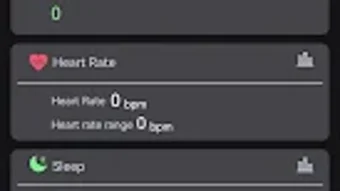
The user interface of SECTORMORELLATO SMARTWATCHES is designed with simplicity and clarity in mind, prioritizing intuitive navigation for users of varying technical proficiency. The main dashboard presents key health metrics and device status at a glance, with easy access to settings, tracking logs, and paired device management.
Navigation is structured through a bottom menu bar, offering quick access to core features such as activity tracking, notifications, sleep data, and device controls. The workflow is linear and consistent, reducing the learning curve for new users. Actions like syncing data, adjusting settings, or starting a workout can be completed in a few taps.
Performance observations are based on general software behavior patterns. The app operates efficiently within standard Android environments, maintaining responsiveness during routine interactions. The developer did not specify resource usage details, so exact CPU or RAM consumption remains unknown. Stability appears consistent under normal usage conditions, though prolonged use may depend on device-specific optimizations. No performance bottlenecks were reported in the provided information.
Compatibility & System Requirements
SECTORMORELLATO SMARTWATCHES is designed exclusively for Android operating systems. The current version is 1.0.0, with an installation size of 25.7 MB. This compact footprint suggests efficient resource management and minimal impact on device storage.
Compatibility information was partially provided. The app is intended to work with all Morellato and Sector smartwatch collections, but exact model-specific compatibility details were not listed. Users are advised to consult the manual for their specific device to verify feature availability. The developer did not specify minimum Android version requirements or hardware specifications such as Bluetooth version or sensor compatibility.
Exact system requirements were not listed. Users should ensure their Android device supports Bluetooth 4.0 or higher and has access to GPS and health sensors for full functionality. Without further details, compatibility may vary across different Android versions and hardware configurations.
Pros and Cons
Pros
- Seamless integration with Morellato and Sector smartwatch models
- Comprehensive fitness and health tracking with GPS
- Hands-free call answering and music control
- Real-time notification sync for improved connectivity
- Compact size (25.7 MB) with low storage impact
- Free to download and use
Cons
- Android-only platform; no support for iOS or other systems
- Feature availability may vary by smartwatch model
- Exact system requirements not disclosed
- Limited information on performance under heavy use
- Requires paired smartwatch for full functionality
FAQ Section
Is SECTORMORELLATO SMARTWATCHES compatible with iOS devices?
The app is designed exclusively for Android operating systems. There is no official support for iOS devices at this time.
Can I use this app without a smartwatch?
No. The application requires a paired Morellato or Sector smartwatch to function fully. The app serves as a companion tool for wearable devices.
Is the app secure for personal health data?
While the developer did not provide specific security details, the app operates under standard Android permissions and data handling practices. Users should review the privacy policy for full transparency.
How often does the app update?
Updates are released periodically by Morellato Spa to improve functionality and compatibility. Users are encouraged to keep the app updated via the Google Play Store.
Does the app work offline?
Basic tracking features may function offline, but full synchronization and real-time notifications require an active connection between the smartwatch and smartphone.
Final Thoughts + CTA
SECTORMORELLATO SMARTWATCHES delivers a robust set of tools tailored for users invested in fitness, health monitoring, and seamless device integration. With its strong focus on connectivity, activity tracking, and hands-free convenience, the app enhances the value of Morellato and Sector smartwatches. While platform exclusivity to Android and variable feature availability across models are notable limitations, the app’s free access, compact size, and feature-rich design make it a compelling choice for Android users.
For fitness-conscious individuals and professionals seeking a reliable companion for their wearable, this app offers a practical and efficient solution. Its ability to manage calls, music, notifications, and health metrics from a single interface reflects modern lifestyle demands.
Download SECTORMORELLATO SMARTWATCHES now




.png)


